Logitech MX Vertical Review & Grip Comparison
When I previously visited a keyboard testing shop in Yongsan (Yongsan electronics district), I tried out a vertical mouse at the Logitech section and ended up completely falling for it.
Instead of buying the keyboard I originally went there for, I wound up picking up a mouse instead! 😅
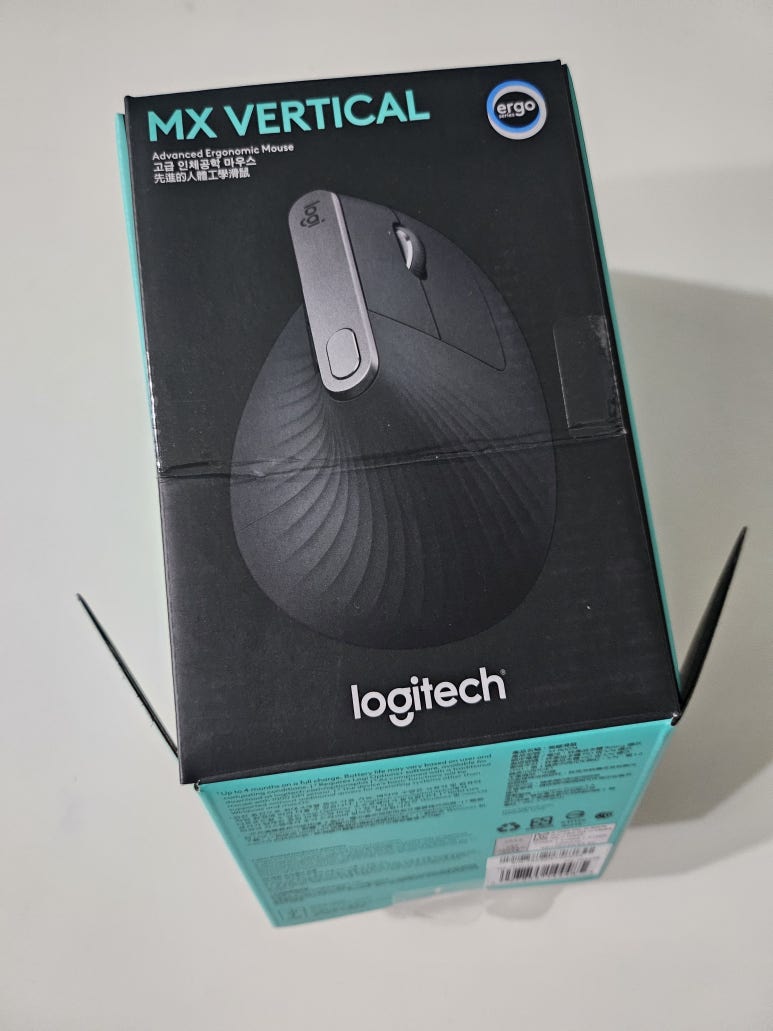
After comparing it with the vertical mice my girlfriend already owned, I noticed a few differences, so I decided to put together a proper review. 😄
My girlfriend said she was extremely satisfied with it and highly recommended it, especially considering how much she paid for it!
🖱️ Diving into a Three-Mouse Showdown
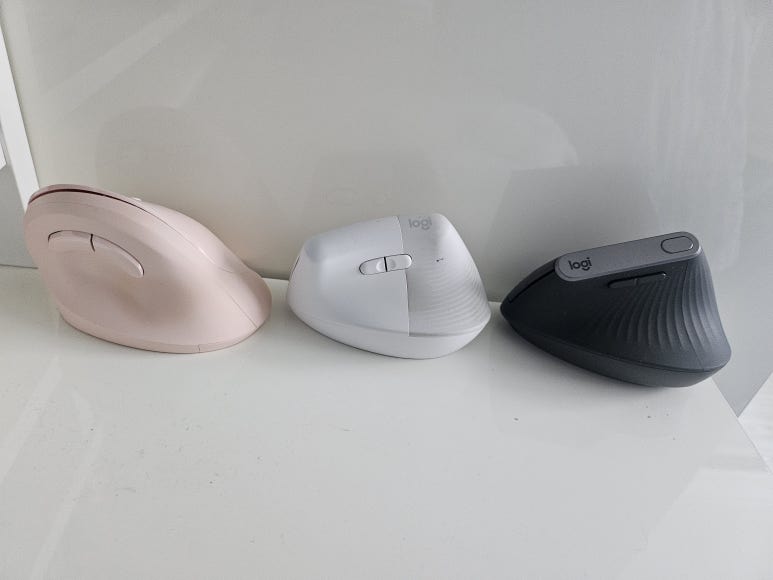
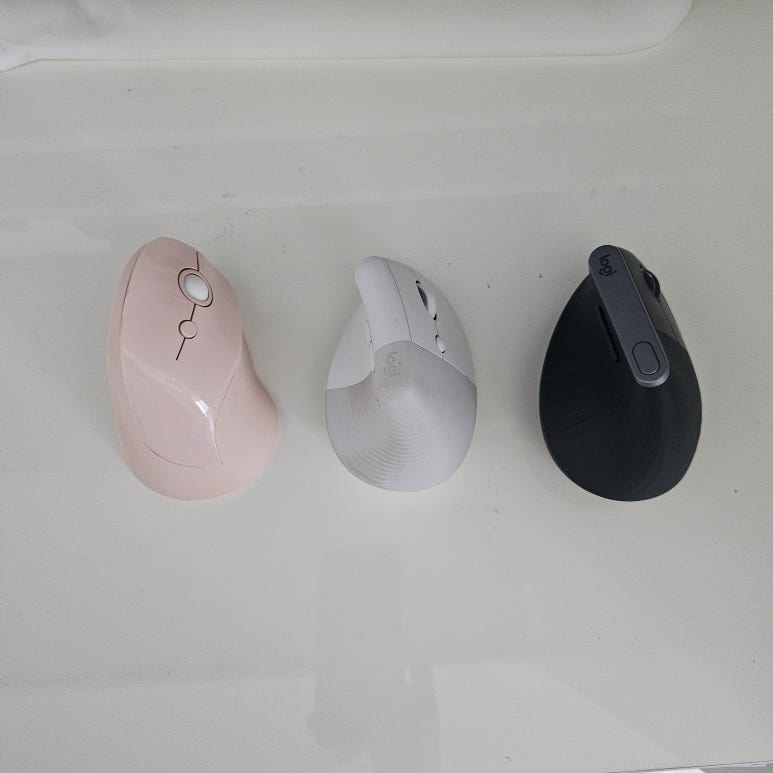
First, I lined up all three mice we had and took a photo.
From left to right: No.1 was the 아이리버 (iRiver) EQwear-EV1, No.2 was the Logitech Lift Vertical, and No.3 on the far right was the Logitech MX Vertical that I recently purchased.
Compared with the Lift Vertical, the MX Vertical was noticeably longer and had a bulkier shape.
✋ Comparing Real-World Grip Comfort
Previous image
Next image
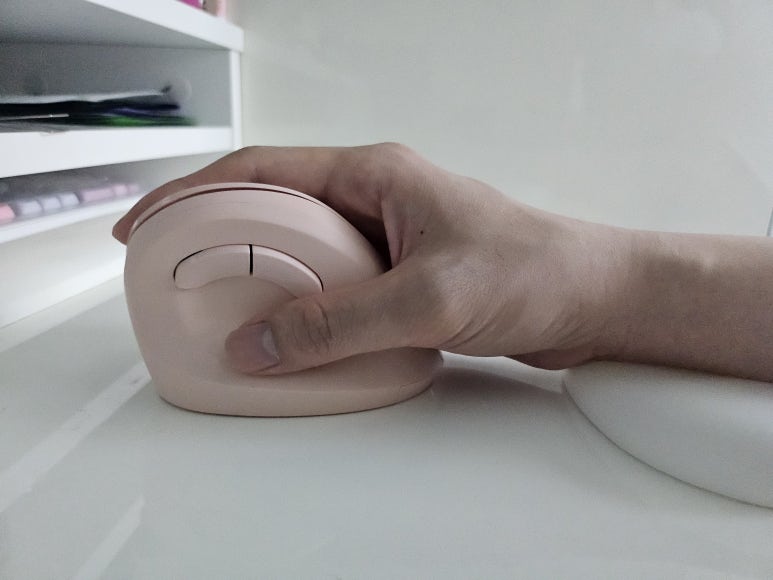
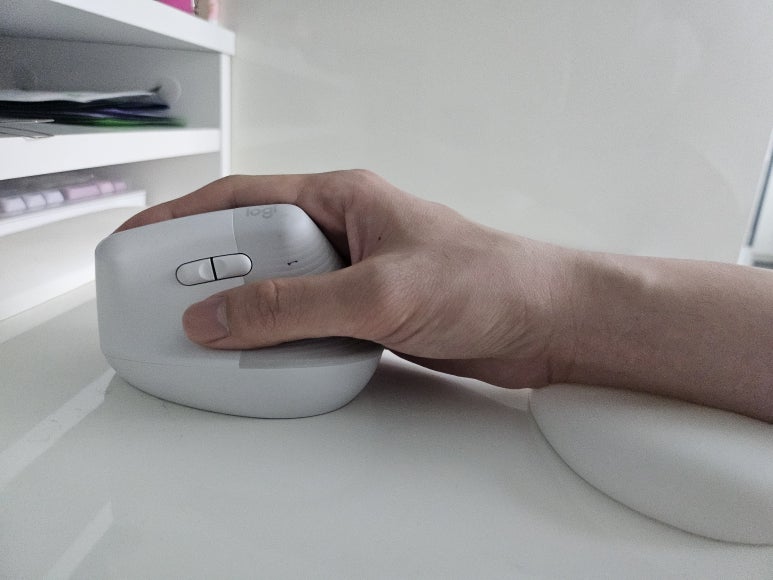
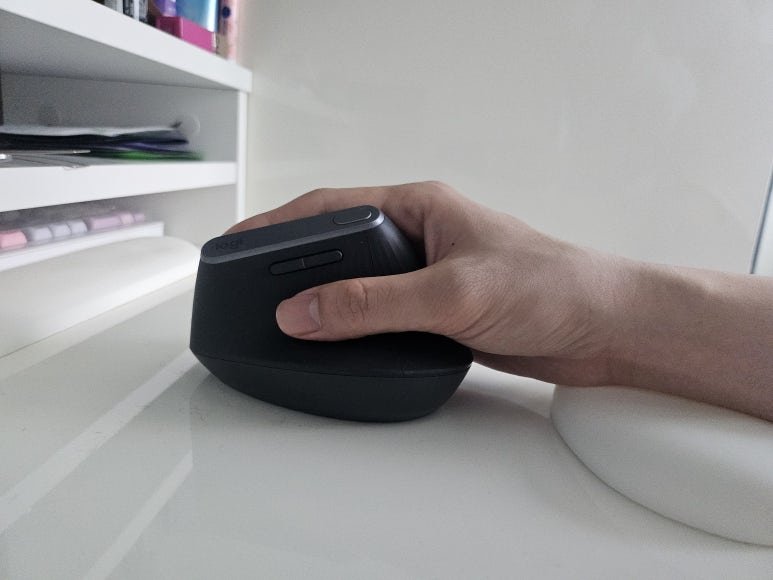
Can you spot the difference? The whole point of using a vertical mouse is to keep your wrist from rotating. A simple way to compare them is by looking at how much the thumb turns toward the desk surface.
The No.1 iRiver had the thumb rotated the furthest downward. That meant the wrist was twisted more than the others.
The No.2 Lift Vertical had a raised thumb rest, so it definitely felt like the wrist stayed in a less twisted position.
The No.3 MX Vertical didn’t have a dramatically taller thumb rest than the Lift Vertical, but it felt much more stable when resting my thumb on it. I’ll show why below.
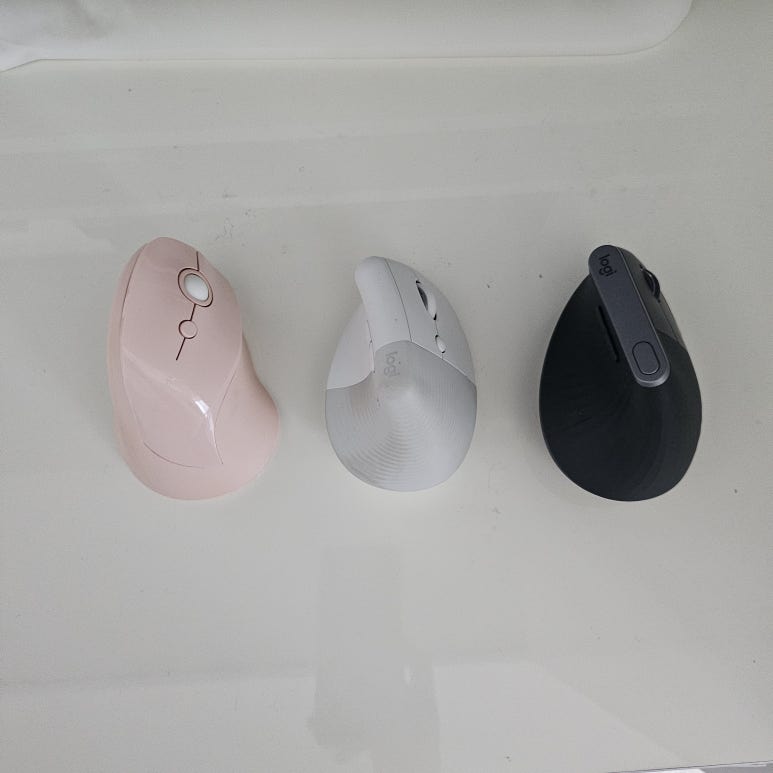
Looking from above, one difference stood out immediately. The thumb grip area on the MX Vertical was much larger and wider than the other two. Because of that, it seemed to support the wrist more effectively and helped keep it from rotating.
Since it’s larger overall, people with bigger hands might find it more comfortable than those with smaller hands.
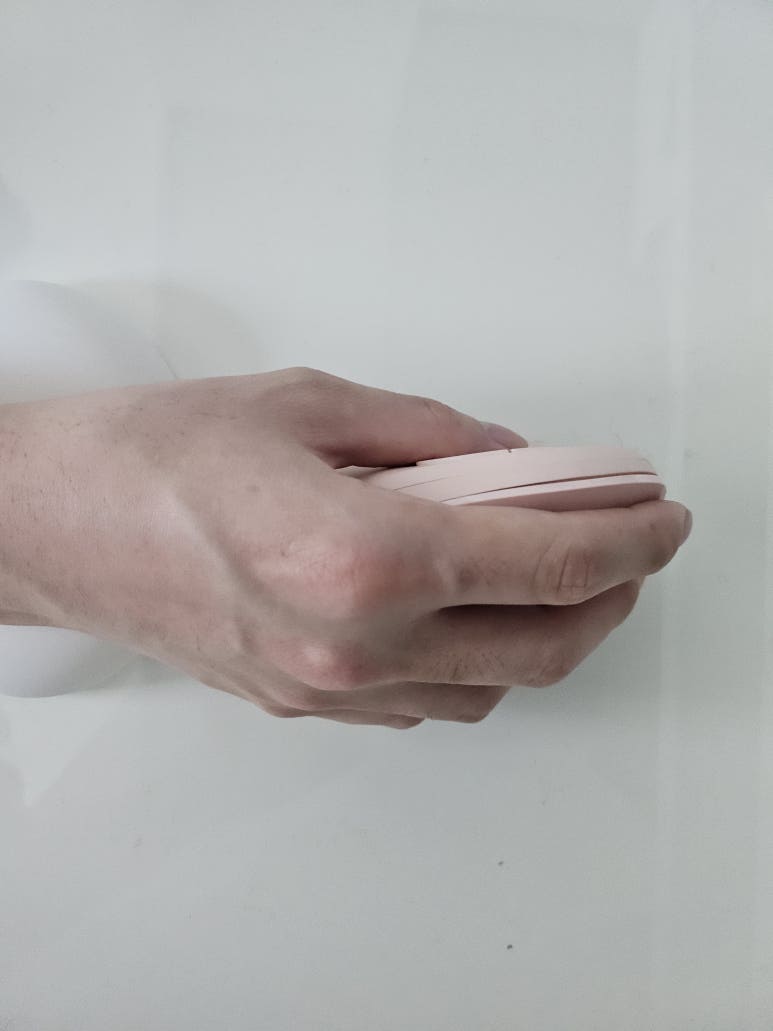
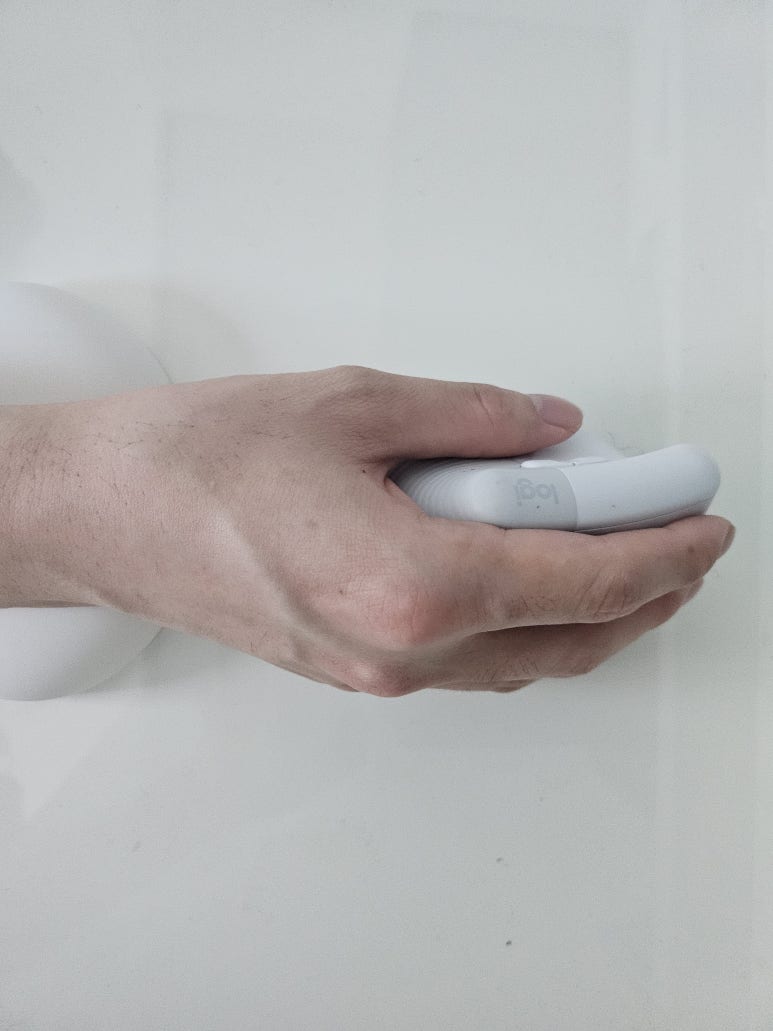
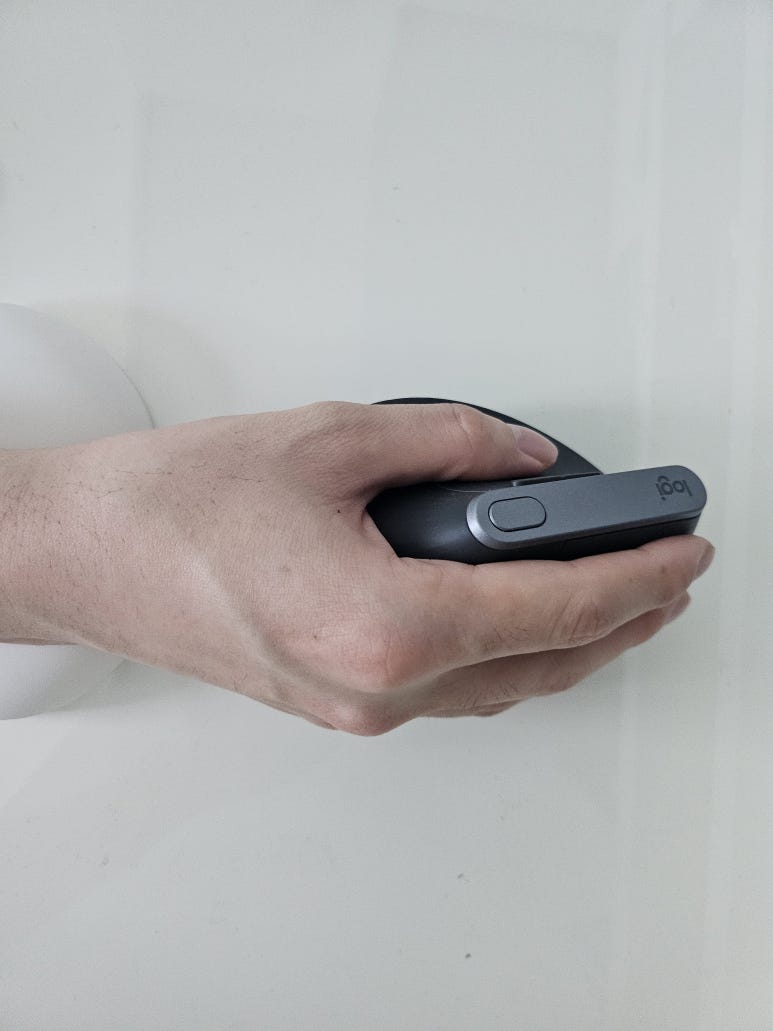
When comparing photos of me actually holding the mice from above, the differences became even clearer.
The No.1 iRiver and No.2 Logitech Lift Vertical felt like they fit snugly inside my hand.
The No.3 MX Vertical was larger and supported my hand more firmly, which gave it a much more stable feel. From above, you could even see the thumb rest extending slightly beyond my thumb because it was so wide. Even so, it didn’t feel any heavier to use.
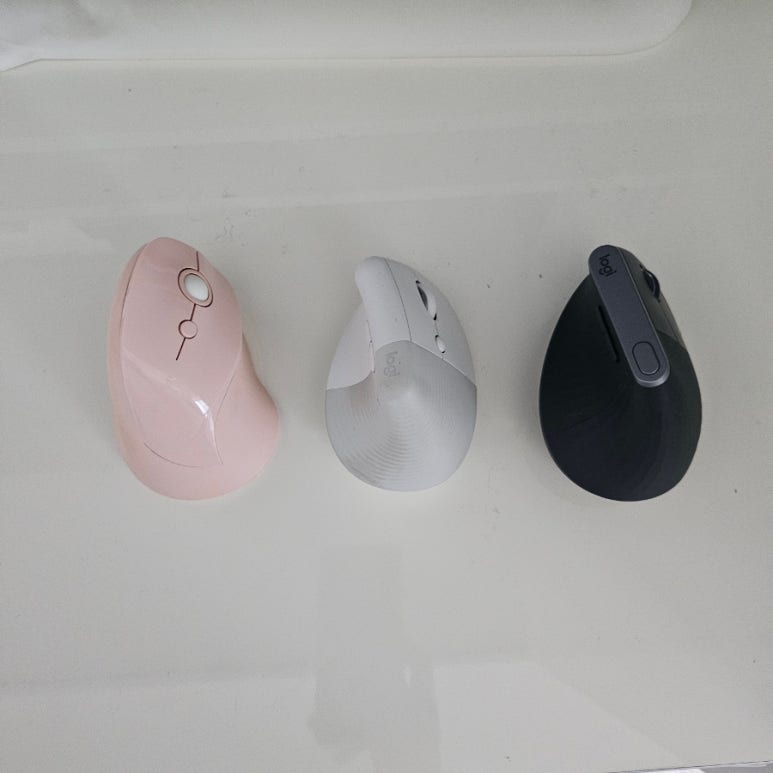
Looking again at the top-down photos, all three mice had different click angles. The angle became progressively more upright toward No.3.
In other words, the MX Vertical allowed clicking at an angle that required the least wrist twisting.
If you’re new to vertical mice, the MX Vertical’s 57-degree angle might feel a little unusual at first. After using it for a day or two, though, my wrist naturally settled into position and felt quite comfortable. My girlfriend was already used to vertical mice, and the moment she picked this one up, she practically shouted “Eureka!” because it felt so comfortable.
🔋 Exploring Handy Little Details With Logitech MX Vertical
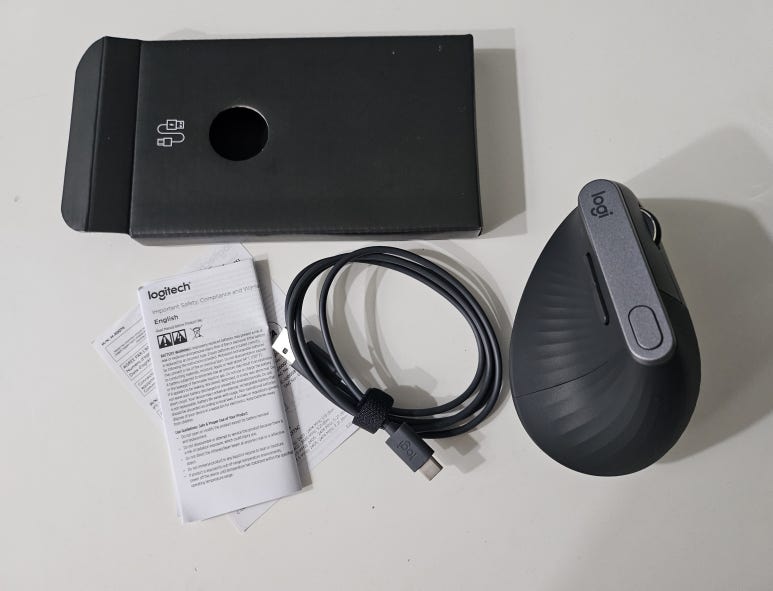
I also liked the distinctive wave-pattern texture on the surface. It helped prevent slipping and made the mouse feel secure in my hand.
As you can see from the unboxing photos, a USB-C charging cable came included in the box.
Unlike the Logitech Lift, which required periodic battery replacements, this model used a built-in battery. I could simply plug it into a smartphone charger or a computer and charge it whenever needed.
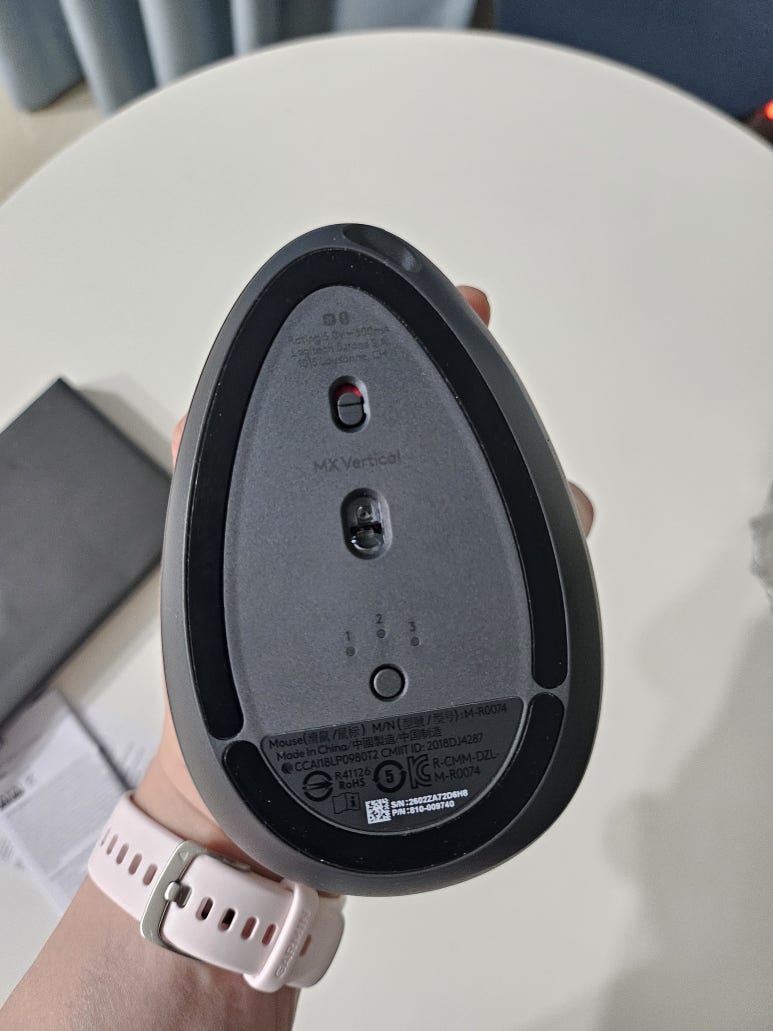
Looking at the bottom, there’s an Easy-Switch button labeled “1, 2, 3.”
This device supports multi-pairing, which felt incredibly useful for anyone who works across multiple devices like I do.
💡 Who Should Come Here?
1. Anyone who uses a mouse for long hours and wants to take better care of their wrist health.
2. Anyone with larger hands who felt their previous mouse or the Logitech Lift was a bit too small.
3. Anyone who wants to switch easily between multiple devices using a single mouse.
4. Anyone who’d rather charge with a USB-C cable than deal with replacing batteries.
💬 Wrapping Up With Final Thoughts
Switching to a new mouse didn’t make all my fatigue disappear overnight.
Still, I definitely felt less strain on my wrist compared with using a standard mouse.
To be honest, I spent quite a while thinking about the purchase because it’s fairly expensive for a mouse. But considering it’s something I held in my hand for hours every day while working, it felt like a worthwhile investment. Once you get used to it, going back to a traditional mouse might not be easy.
I especially recommended it for people dealing with wrist discomfort. The stable grip and comfortable, untwisted hand position were absolutely worth experiencing.
At a glance
📍 Product Name: Logitech MX Vertical
💰 Price: 149,000 KRW
🔋 Charging Method: USB-C charging
🔗 Connectivity: Bluetooth, wired connection, and dedicated receiver (dongle) support